 Purpose
 App
Architecture
App
Architecture CONSENT MODE
 Requirements
 AD BLOCKER
 Google
Analytics 4
Google
Analytics 4 Facebook/meta conversions API
 Google
Ads
Google
Ads TWITTER
 Hotjar
 klaviyo
.png) Linkedin
Linkedin.png) Pinterest
Pinterest  Outbrain
  Snapchat
 .png) Reddit
Reddit .png) Quora
Quora Snapchat
Effortlessly set up and locate your Snapchat Pixel ID to track website analytics and optimize your ad campaigns. Follow these simple steps to create your pixel, view the ID, and integrate it with your website or tag manager.
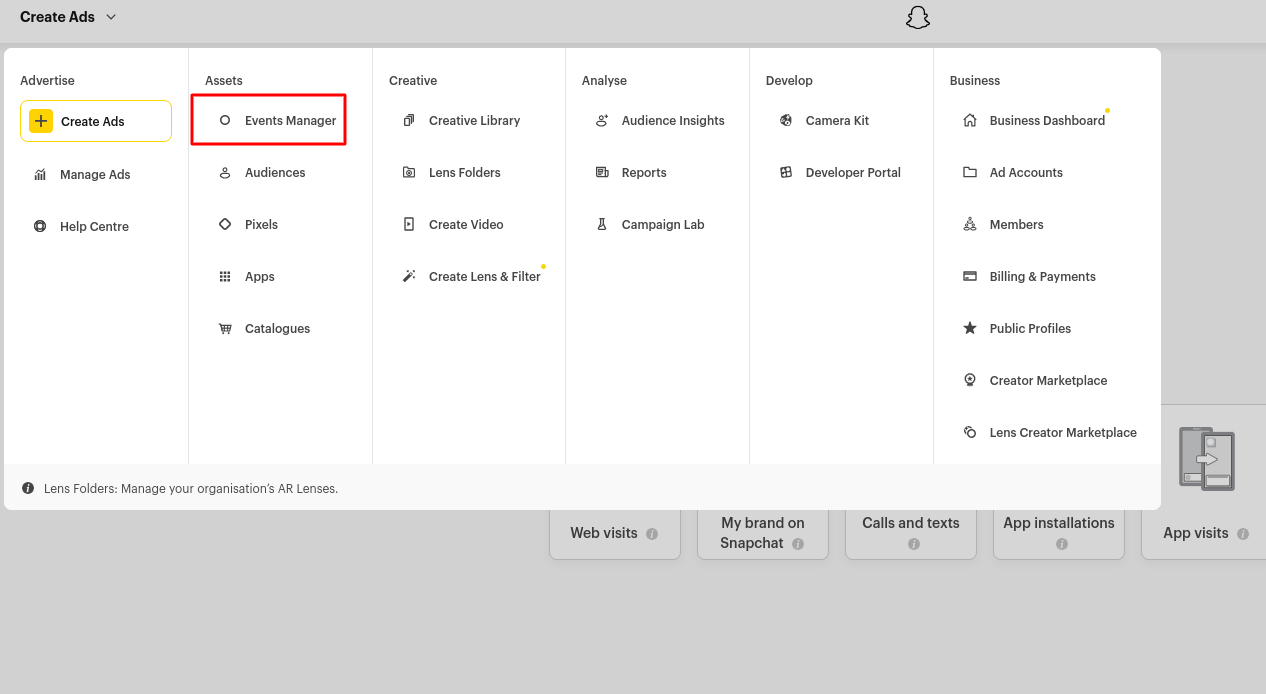
Visit the Snapchat Ads Manager and log in with your account credentials.
- Select the relevant ad account from the account list.
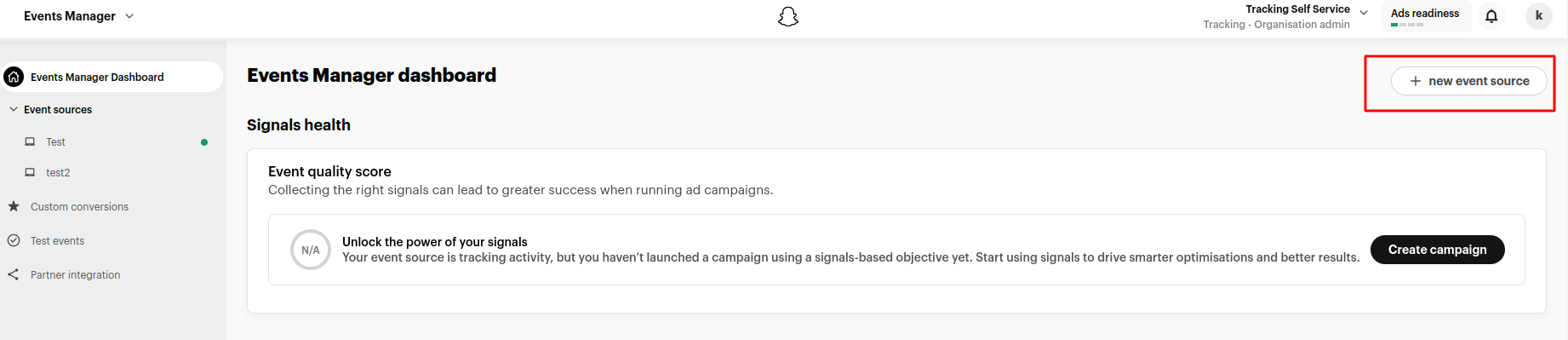
- In the top-left corner, navigate to 'Events Manager Dashboard' and click on 'New Event Source' to create your Snap Pixel.
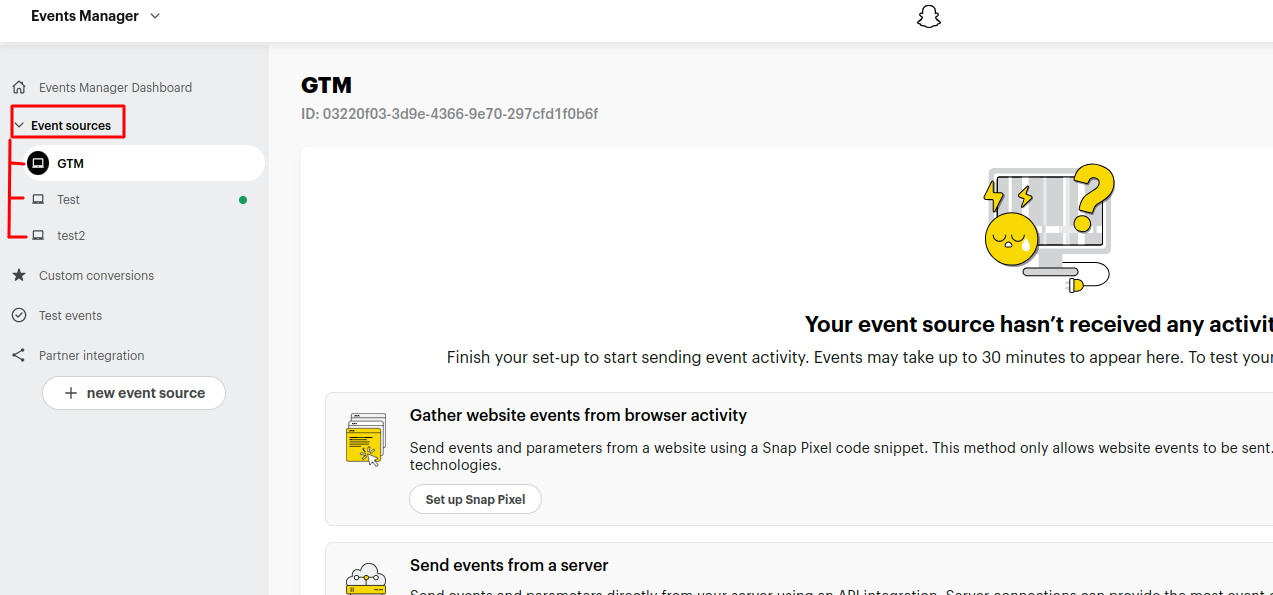
- Go to 'Event Sources' and select the event source you need if you have multiple options.
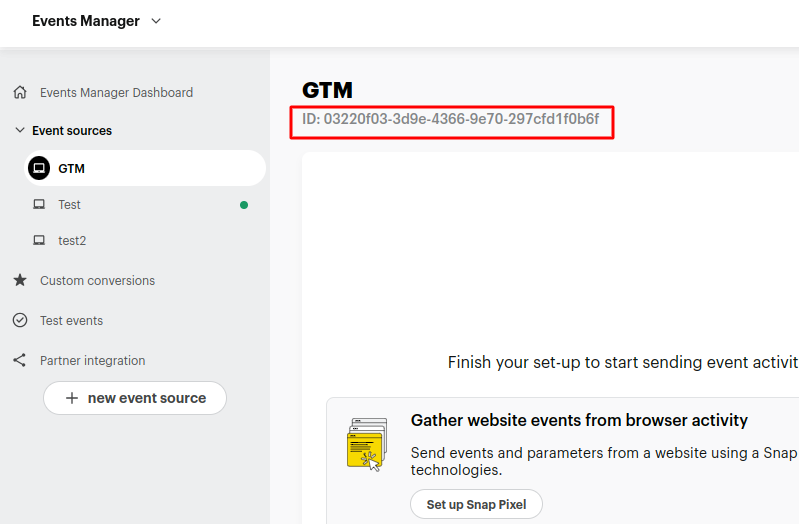
- Locate your Snap Pixel ID in the top-left corner of the page.
- Copy the Snap Pixel ID and paste it into our app.