 Purpose
 App
Architecture
App
Architecture CONSENT MODE
 Requirements
 AD BLOCKER
 Google
Analytics 4
Google
Analytics 4 Facebook/meta conversions API
 Google
Ads
Google
Ads TWITTER
 Hotjar
 klaviyo
.png) Linkedin
Linkedin.png) Pinterest
Pinterest  Outbrain
  Snapchat
 .png) Reddit
Reddit .png) Quora
Quora How to Retrieve Your LinkedIn Insight Tag ID
Asily set up and find your LinkedIn Insight Tag ID to track website analytics. Follow these straightforward steps to create your tag, view the ID, and integrate it with your tag manager for seamless tracking..
- Go to LinkedIn Campaign Manager
- Log in with your LinkedIn credentials.
- Click on the Account icon in the top-right corner.
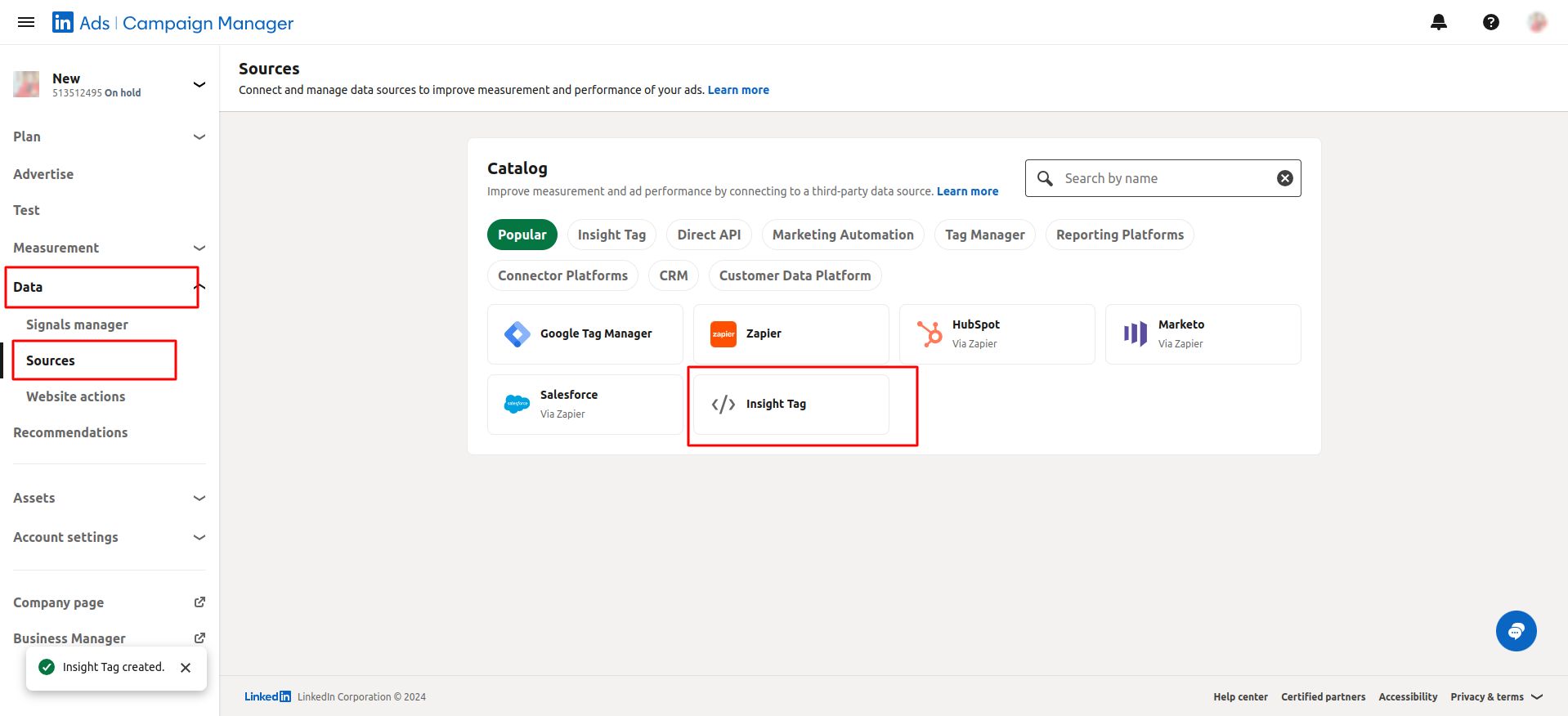
- From the dropdown menu, select Data > Sources.
- Under Sources, click on Insight Tag.
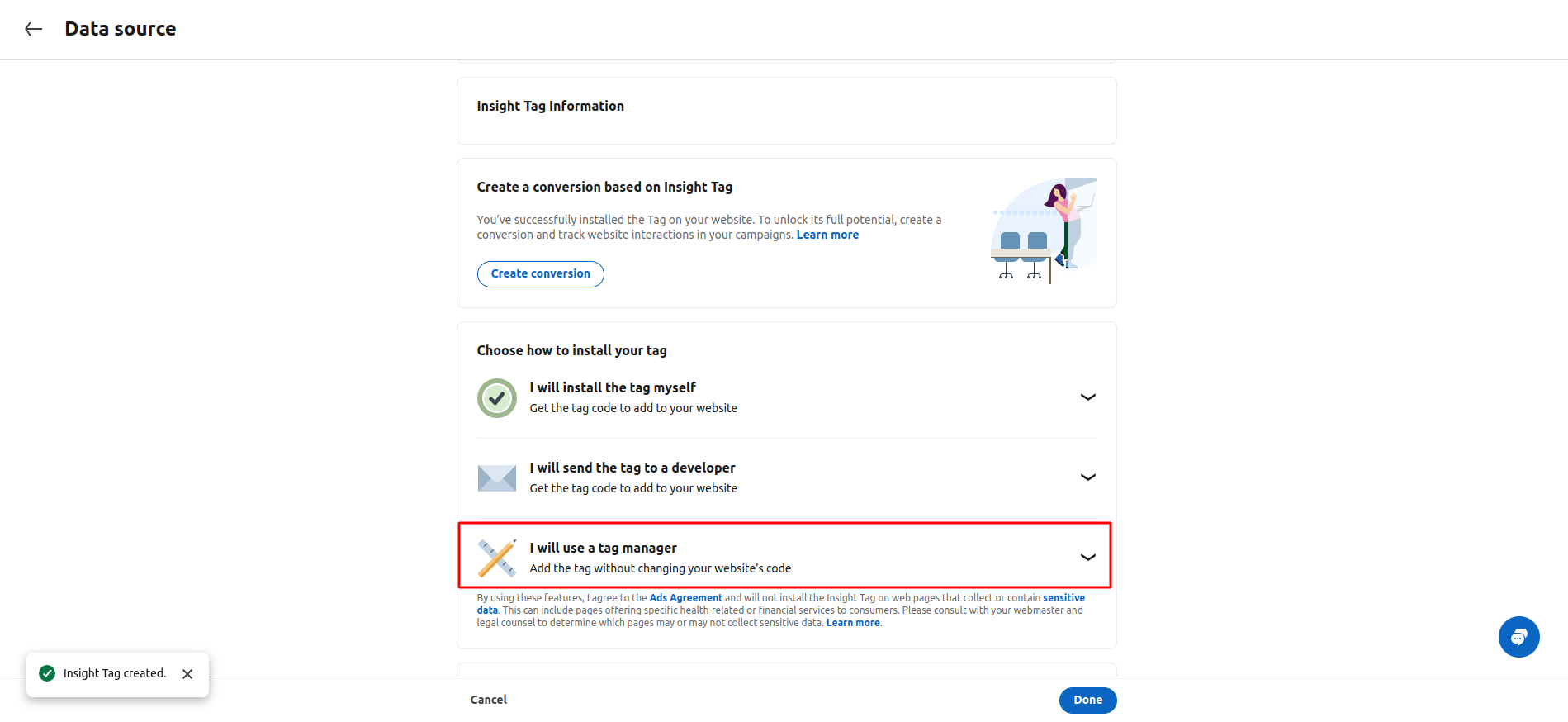
- Select I will use a tag manager and proceed.
- Your Insight Tag will be created.
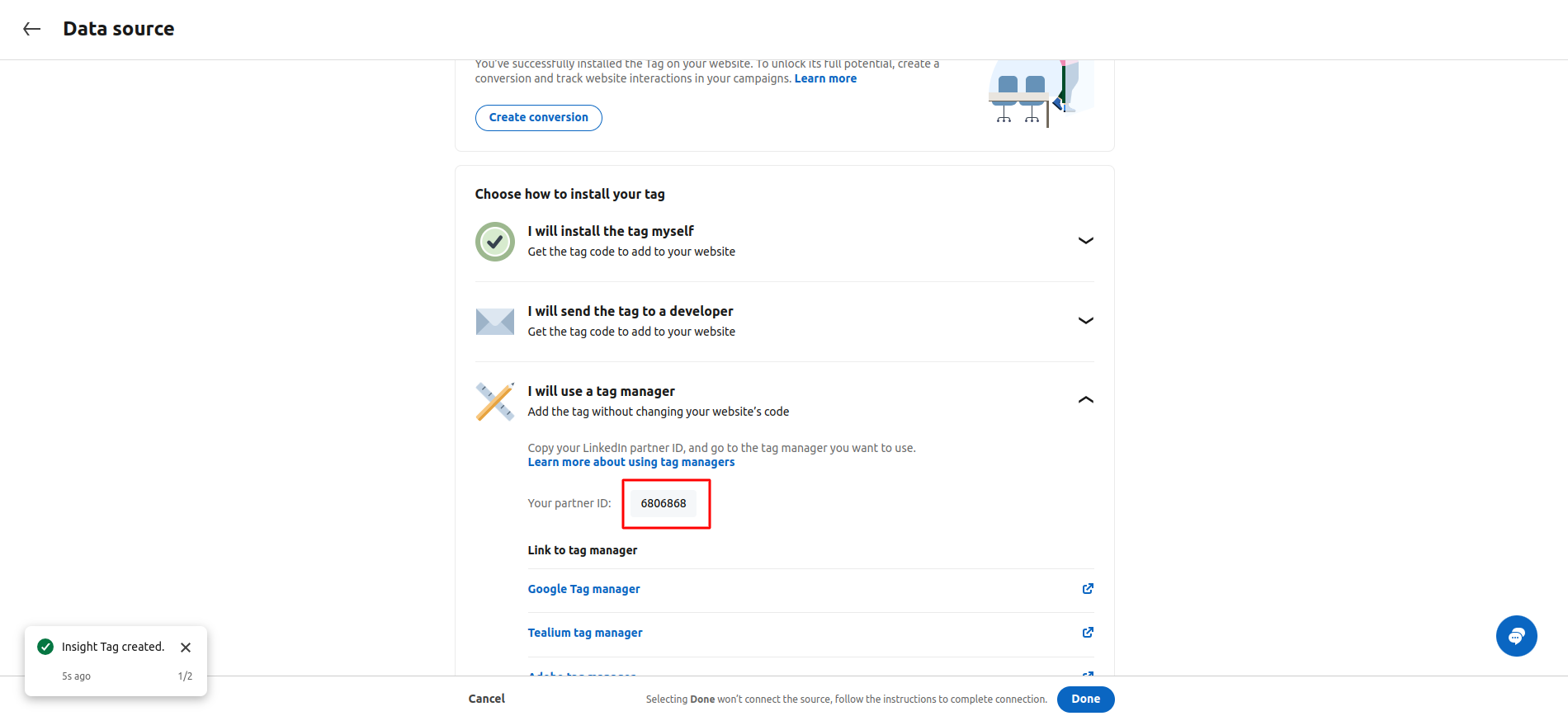
- Click I will use a tag manager again to view the Insight Tag ID.
- Note down the Insight Tag ID.
- Click Done to finish the process.