 Purpose
 App
Architecture
App
Architecture CONSENT MODE
 Requirements
 AD BLOCKER
 Google
Analytics 4
Google
Analytics 4 Facebook/meta conversions API
 Google
Ads
Google
Ads TWITTER
 Hotjar
 klaviyo
.png) Linkedin
Linkedin.png) Pinterest
Pinterest  Outbrain
  Snapchat
 .png) Reddit
Reddit .png) Quora
Quora Setup the app
To Setup the App please ensure to keep these credentials ready:-
- Shopify Store
- Google Logins details
- GTM Account
Here are the steps to set up the GTM Assistant app for your Shopify store:
- 1. Installation:
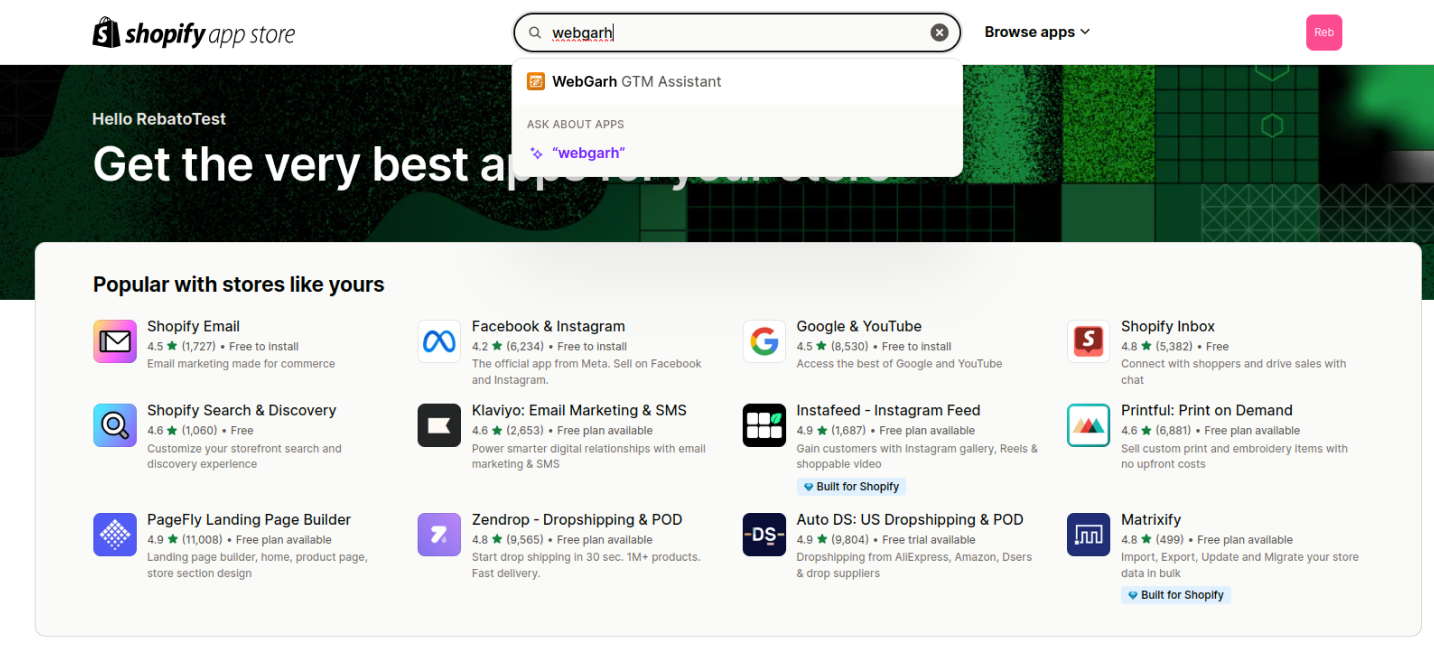
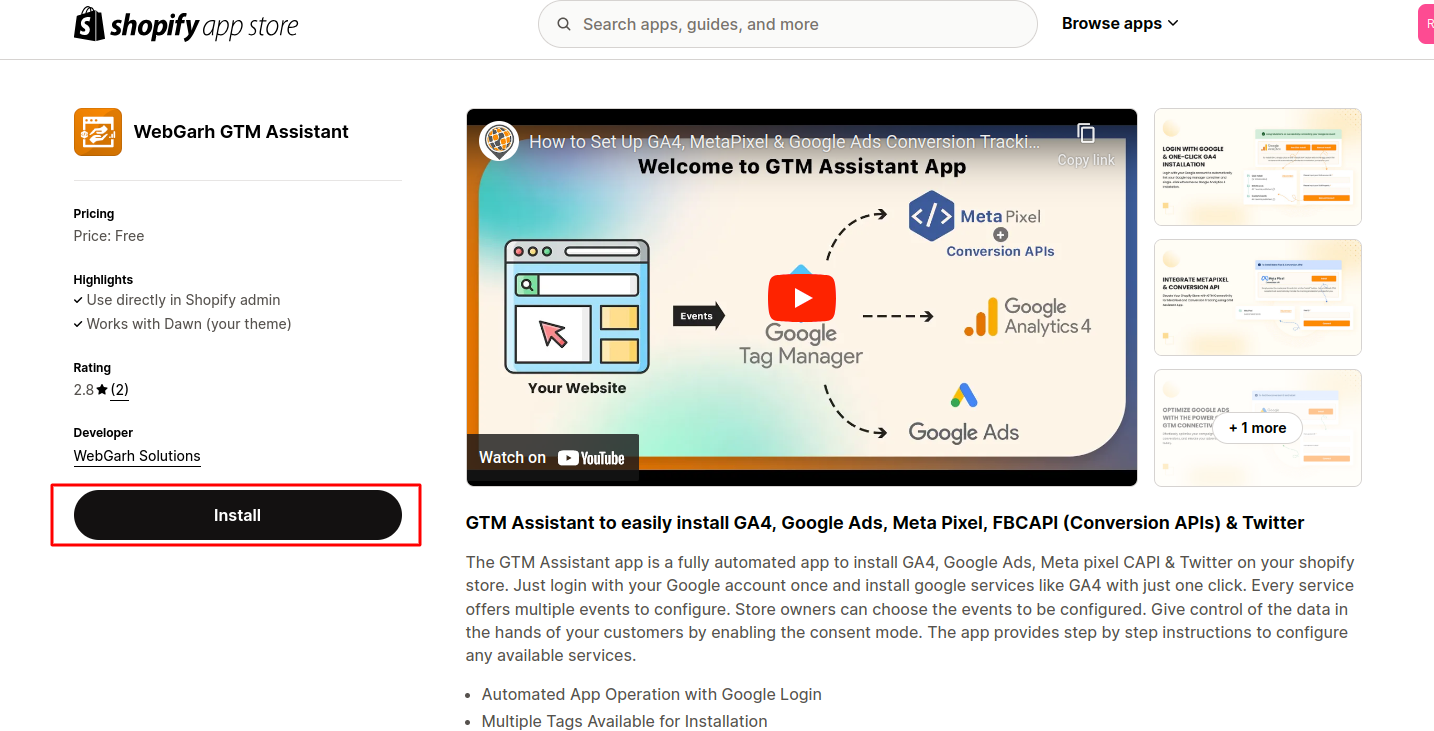
- Visit the Shopify app store and Search for the "WebGarh GTM Assistant" app.
- Click "Install."
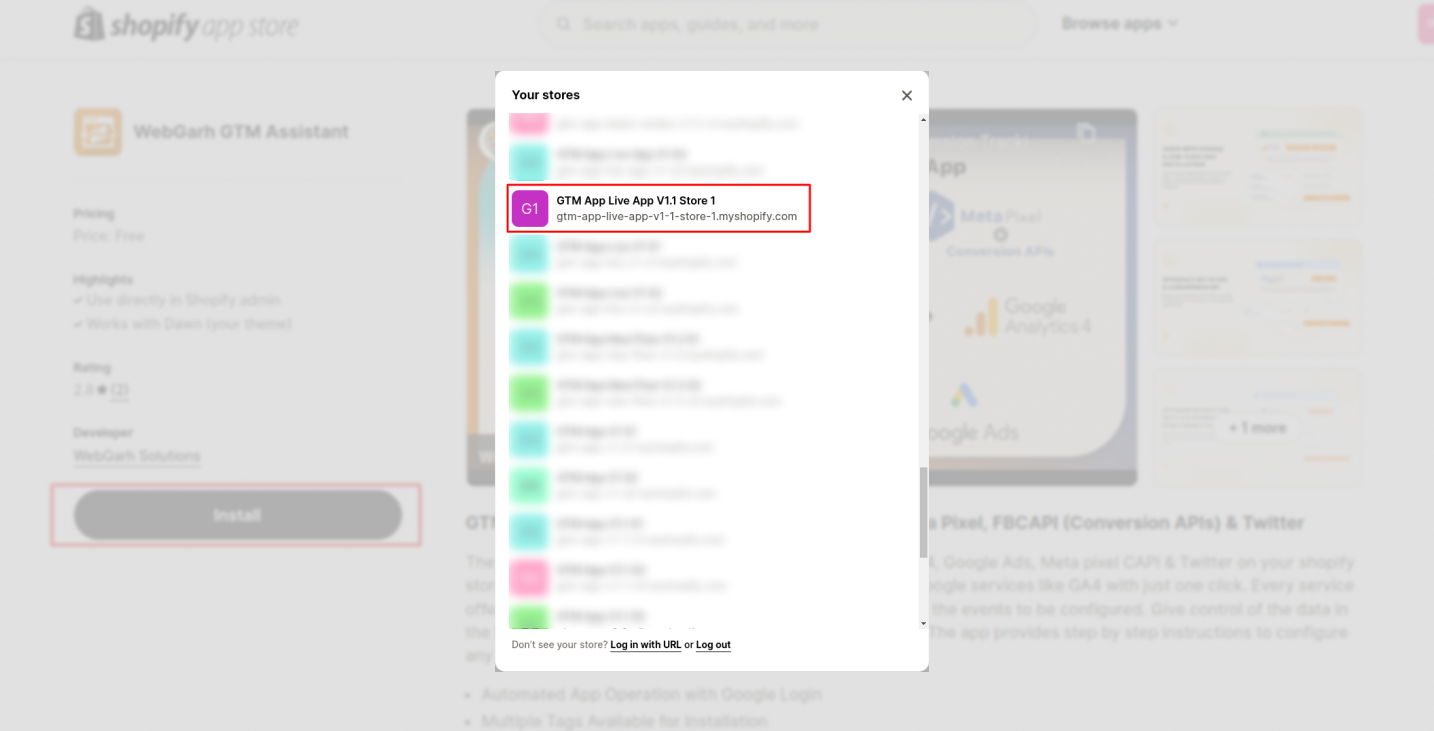
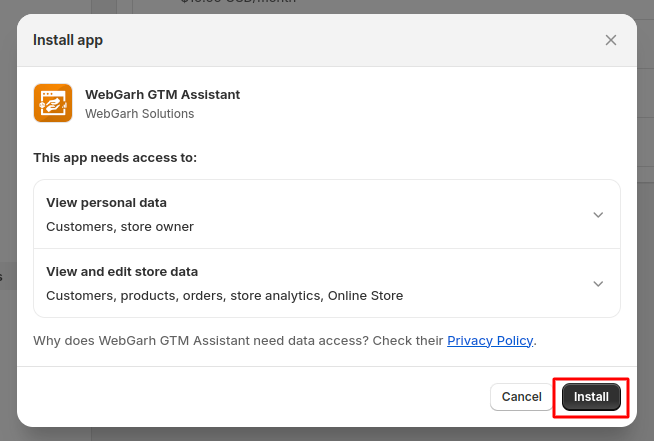
- Choose your store and follow the on-screen instructions to complete the installation.
- Your app has been installed successfully.
- 2. Google Login:
- After the app installation is complete, click the Google login button.
- Log in securely using your Google account please click on "Proceed".
- Log in with your Google account.
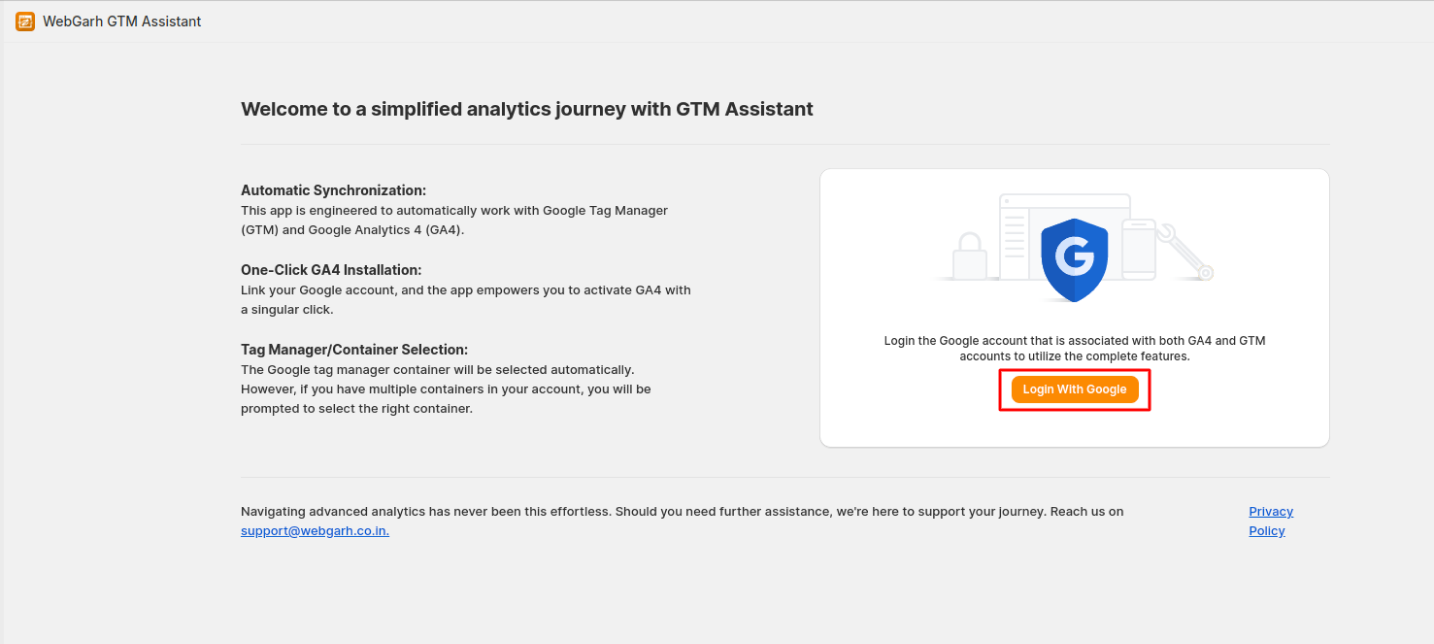
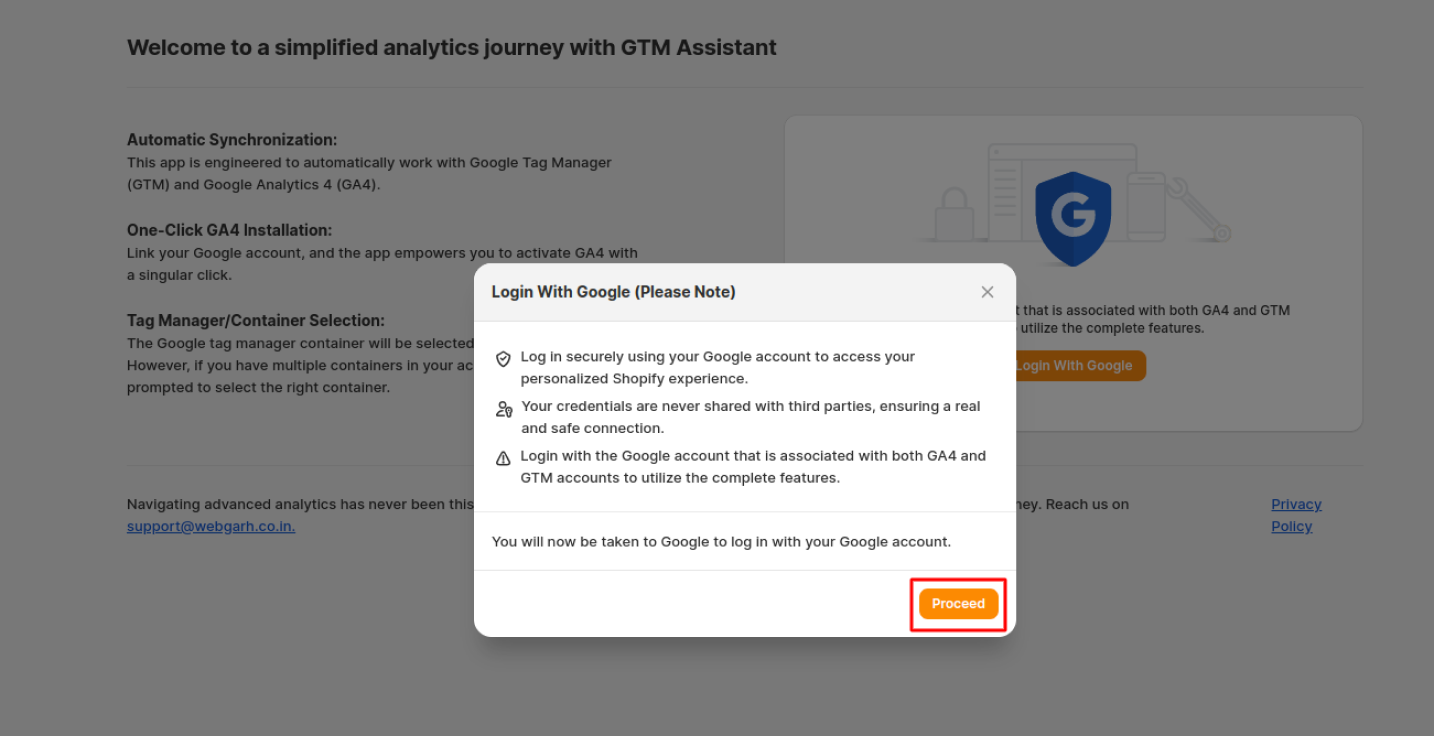
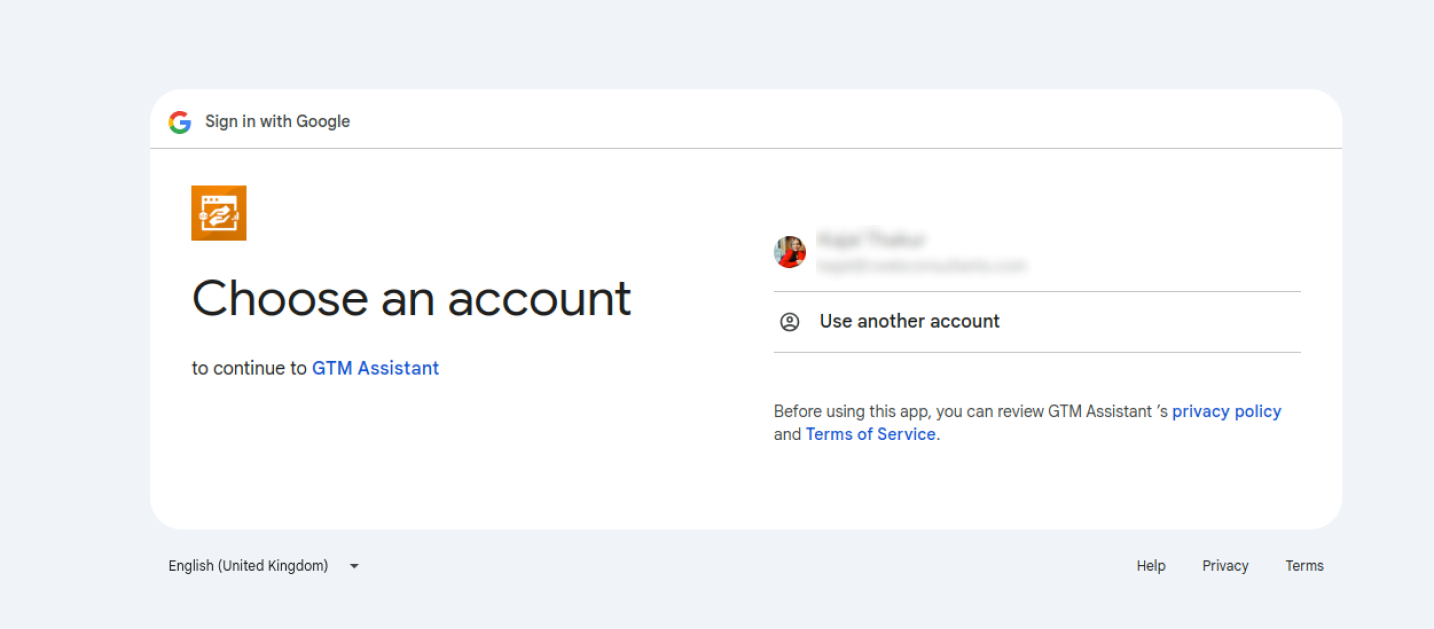
- 3. Google Tag Manager:
- Select the GTM account and then click on "Apply and proceed".
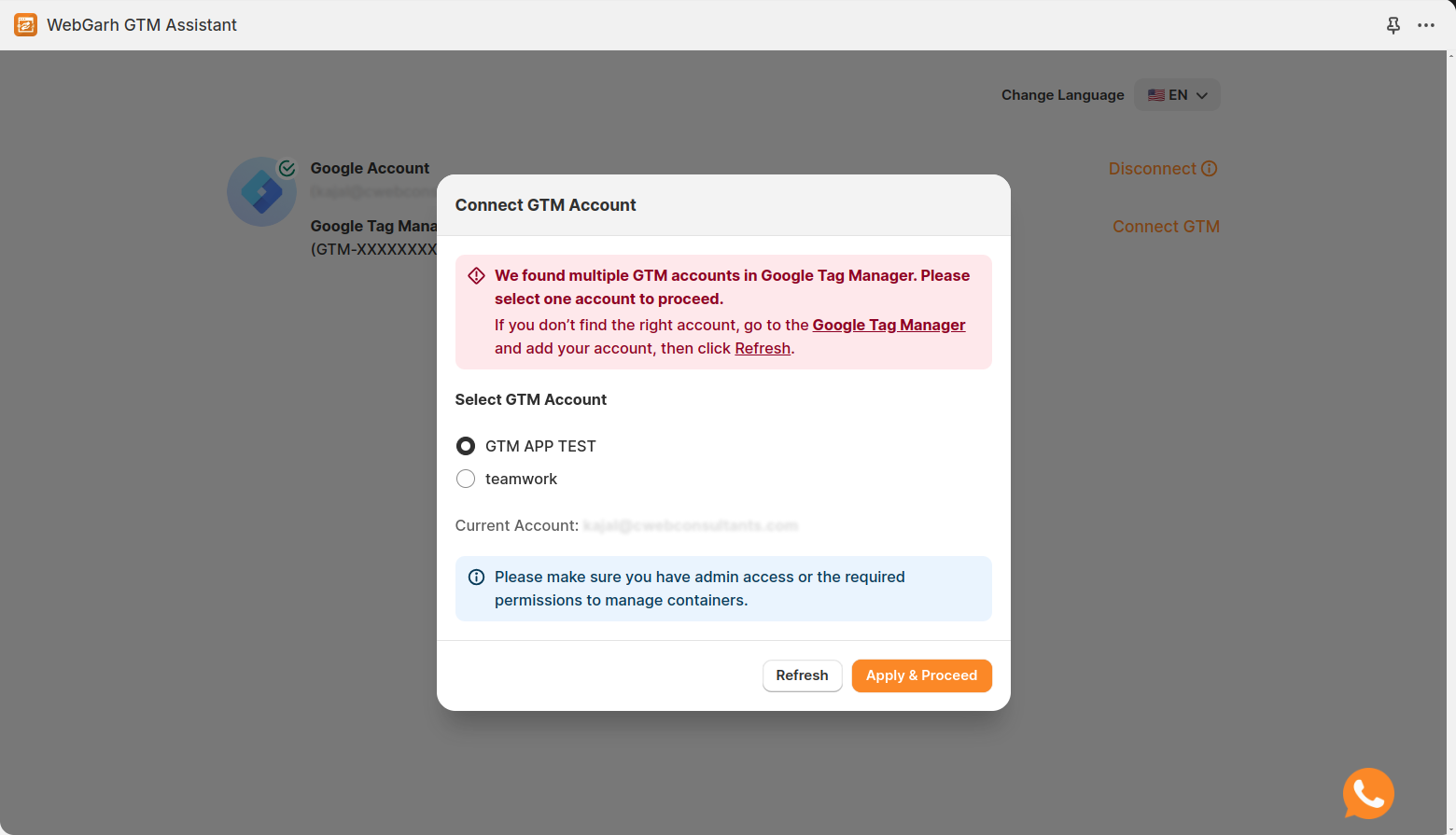
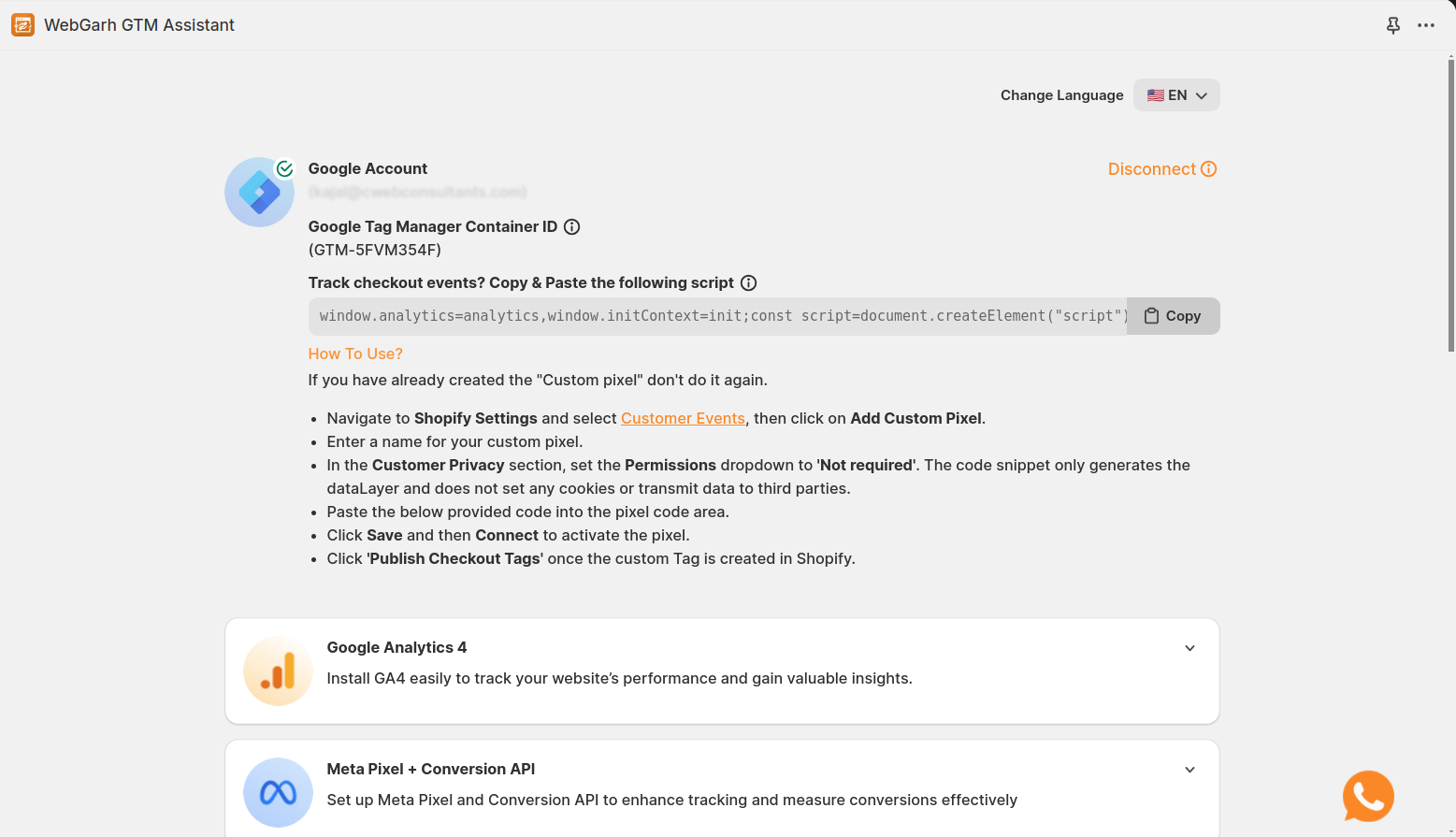
By following these steps, you'll have successfully set up the GTM Assistant app for your Shopify store, allowing you to efficiently track and manage events on your online store.