 Purpose
 App
Architecture
App
Architecture CONSENT MODE
 Requirements
 AD BLOCKER
 Google
Analytics 4
Google
Analytics 4 Facebook/meta conversions API
 Google
Ads
Google
Ads TWITTER
 Hotjar
 klaviyo
.png) Linkedin
Linkedin.png) Pinterest
Pinterest  Outbrain
  Snapchat
 .png) Reddit
Reddit .png) Quora
Quora Create a Measurement Protocol API secret in GA4
To enable GTM to add server-side events into your Data Stream (via the Measurement Protocol API), you then need to create a new Measurement Protocol API secret for your Data Stream:
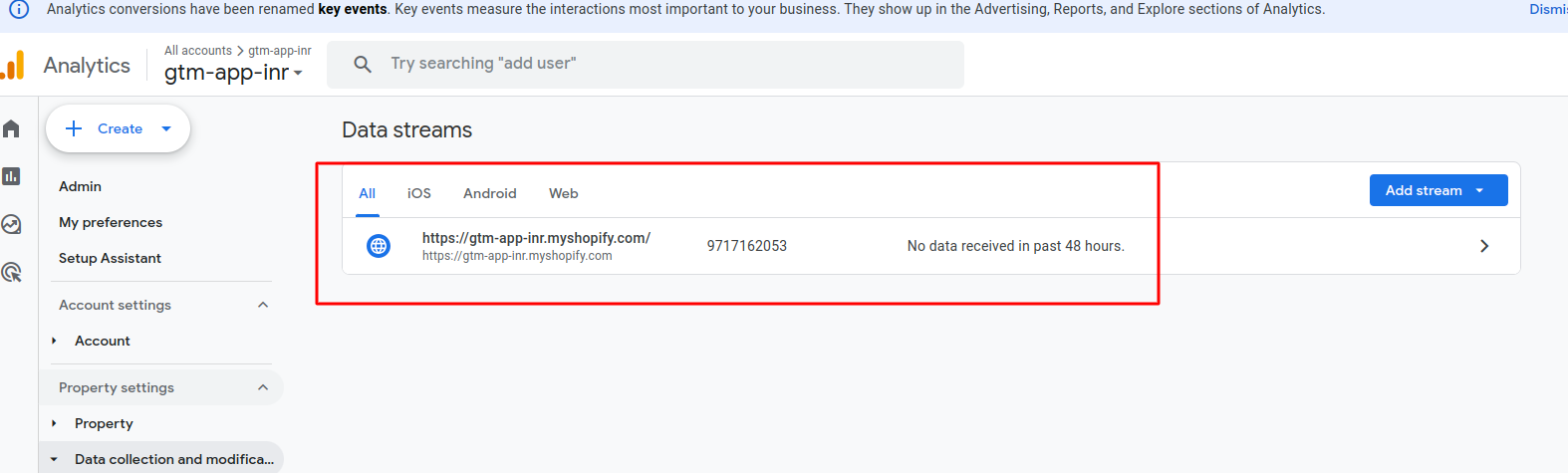
- First, go to your Google Analytics Admin > Data collection and modification > Data Streams and open your chosen stream:
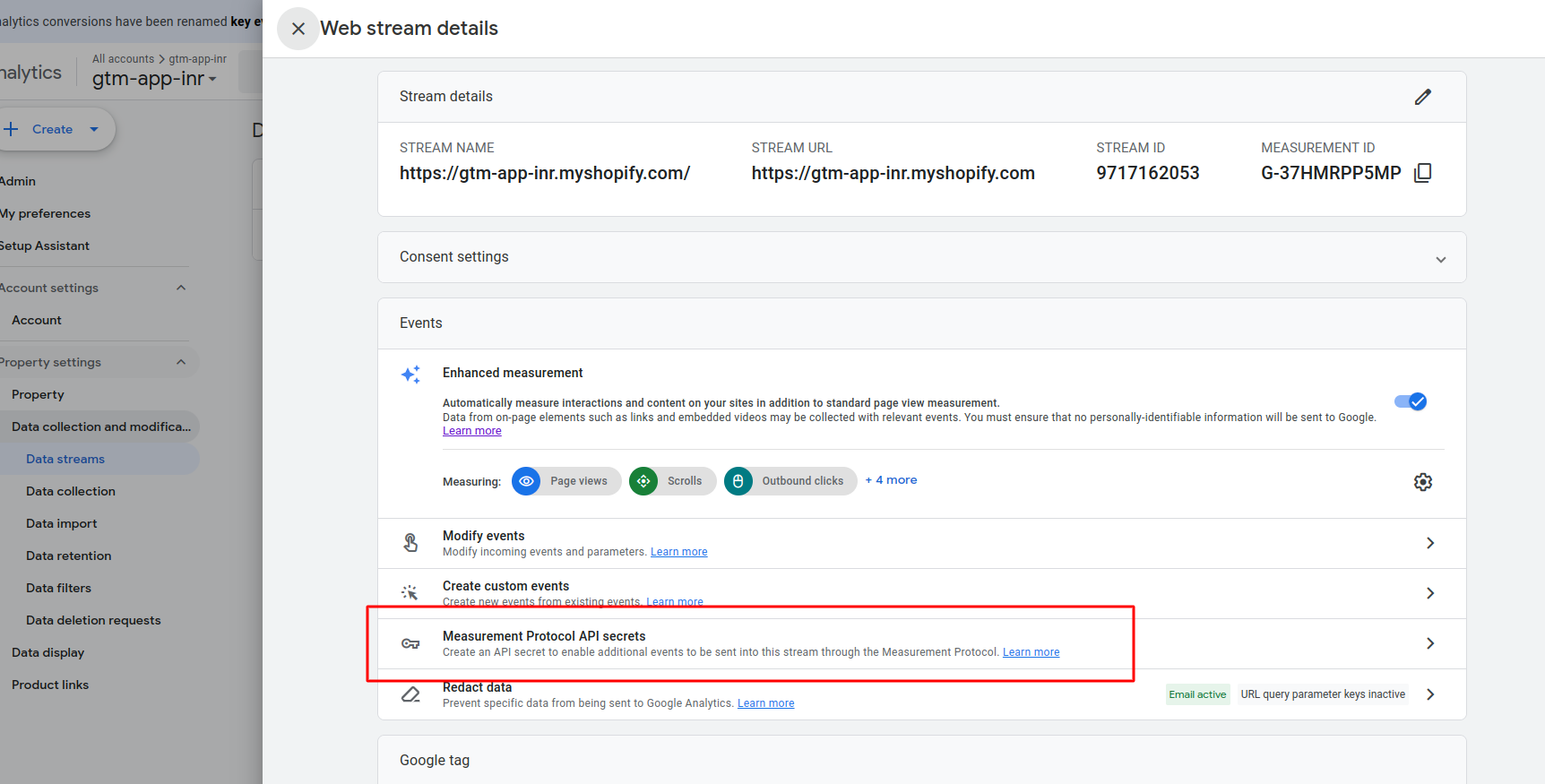
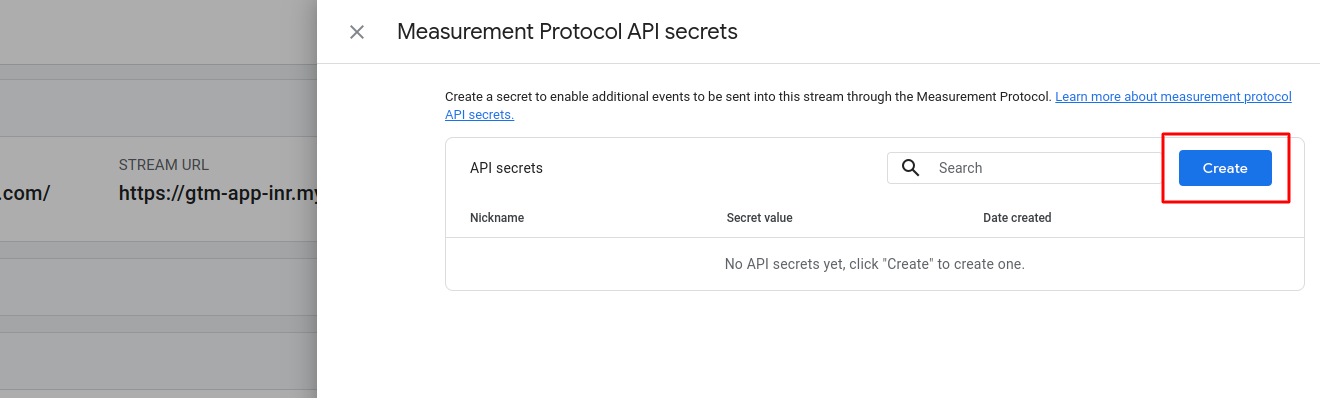
- Scroll down to the Events tab and click on Measurement Protocol API secrets; then click Create:
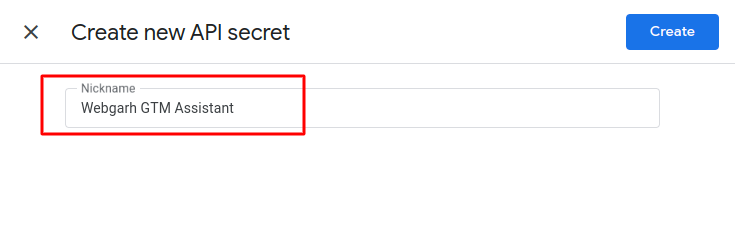
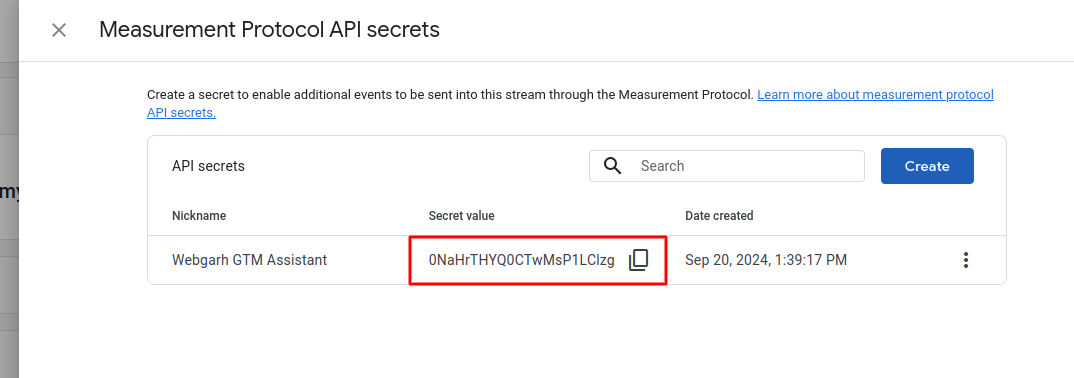
- You will have to create a nickname for your new API secret; we recommend naming this WebGarh GTM Assistant. Click Create
- You will need to copy the Secret value provided. This value is confidential and should only be shared with WebGarh GTM Assistant. All done.